
Live broker connection guide

TBZ Live Rithmic Connection Guide to NinjaTrader 8

Quick answer

Yes. First request an active live Rithmic username and password from TBZ. Then install PropFirmConnector, configure Rithmic for NinjaTrader Brokerage, select Rithmic 01 (Chicago), and sign in with those broker-issued Rithmic credentials. The add-on supplies the Rithmic connection path used by this guide.

Account type: Live Rithmic brokerage System: Rithmic 01 (Chicago) Last verified:

This guide covers how to connect a TBZ live brokerage account issued with Rithmic credentials to NinjaTrader 8. PropFirmConnector is independent third-party software and is not affiliated with or endorsed by TBZ, NinjaTrader, or Rithmic.

Step-by-step setup

TBZ Connection Guide to NinjaTrader 8

  1. Step 1 Broker account setup

    Request a Rithmic login from TBZ

    Rithmic does not publish a separate verified website for this broker record. Use the Rithmic listing below to confirm the TBZ provider name, then log in to the portal tied to your brokerage account or contact the broker using the support details for your account. Ask it to enable Rithmic and issue an active live Rithmic username and password.

    Rithmic broker listing View TBZ on Rithmic (opens in a new tab)
  2. Step 2 One-time activation

    Log in to R|Trader Pro once

    Sign in to R|Trader Pro with the Rithmic credentials issued by TBZ. Accept any pending market-data agreements and confirm the expected trading accounts appear. This is a one-time activation check; you do not need to open R|Trader Pro every time you start NinjaTrader.

  3. Step 3

    Install PropFirmConnector

    From your PropFirmConnector account, download PropFirmConnector.zip and close NinjaTrader completely. Extract the ZIP, then copy NinjaTrader.Custom-pfc.dll to My Documents\NinjaTrader 8\bin\Custom. Start NinjaTrader again and, when your browser opens, click Activate this device.

    Copy the DLL to My Documents\NinjaTrader 8\bin\Custom
    Open your account downloads
  4. Step 4

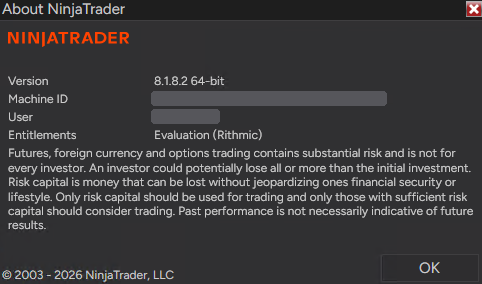
    Open NinjaTrader 8 and sign in

    Start NinjaTrader 8 and sign in with your NinjaTrader account credentials when prompted. These are your NinjaTrader credentials, not the Rithmic username and password issued by TBZ.

  5. Step 5

    Configure Rithmic for TBZ

    In the NinjaTrader Control Center, select Connections, then configure. Select Rithmic for NinjaTrader Brokerage from the Available list on the left, enter the Rithmic username and password issued by TBZ, give the connection a recognizable name, leave Connect on start up and Plug-in mode off, and select Rithmic 01 (Chicago) for System.

    In the Control Center, click Connections, then configure.
  6. Step 6

    Connect to TBZ

    Open Connections again and click the connection name you just created. A green status indicator and the account appearing in NinjaTrader confirm the connection.

    Open Connections and click the name you created. This interface illustration uses TBZ and shows the green connected indicator. It is a setup example, not evidence of a live account test.

Enlarged guide image

FAQ

TBZ + NinjaTrader questions

Q Can I connect a live TBZ Rithmic account to NinjaTrader 8?

Yes. Install PropFirmConnector, select Rithmic 01 (Chicago), and enter the active live Rithmic credentials issued through TBZ.

Q Which TBZ credentials do I use?

Use the live Rithmic username and password issued for the brokerage account, not the TBZ client-portal login or your NinjaTrader account credentials.

Q Which System should I select for a TBZ live account?

Select Rithmic 01 (Chicago). This is the Rithmic 01 live Chicago environment shown in NinjaTrader’s Rithmic connection settings.

Q Can I run multiple live Rithmic brokerage logins in one NinjaTrader instance?

Yes. PropFirmConnector can connect multiple separate Rithmic logins in one NinjaTrader instance, including live brokerage and prop-firm accounts.

Q Is PropFirmConnector affiliated with TBZ?

No. PropFirmConnector is an independent NinjaTrader add-on and is not affiliated with or endorsed by TBZ, NinjaTrader, or Rithmic.

Authenticator verification

Enter your authentication code

Enter the current 6-digit code from your authenticator app.