NinjaTrader Footprint Charts: Volumetric Bars and Rithmic
Configure NinjaTrader footprint charts, choose bid/ask classification, and check the Order Flow+ feature and historical Rithmic data behind the display.
On this page
NinjaTrader calls its built-in footprint charts Volumetric bars. They show executed buying and selling volume at prices within a bar. To use them, check that your NinjaTrader account has Order Flow+ access, then configure a Volumetric series. A connected Rithmic login and access to this chart feature are separate requirements. NinjaTrader’s footprint-chart overview
The figures describe trades that occurred. For quantities currently resting in the order book, use the Level II market-depth guide.
To inspect incoming prints before they are grouped into bars, use the Time and Sales window and its display filters.
To combine volume across a session or a wider window, use the Volume Profile range and data guide. It covers the boundaries behind a volume-by-price summary. For net volume carried from bar to bar, compare the Bar and Session cumulative delta readings.
Configure the footprint chart
Open Control Center → New → Chart, or right-click an existing chart and select Data Series. Choose the futures contract, including its expiry, and select the intended series under Applied. Data Series controls
In the Volumetric settings:
- Set Type to Volumetric.
- Choose a base period, such as Minute with a value of 5.
- Choose BidAsk for delta classification and BidAsk for the chart style.
- Set Ticks per level to 1 to display individual price levels.
The five-minute setting is an example, not a trading recommendation. If you want bars based on a trade count instead, see the tick-chart comparison.
Before applying, inspect Trading Hours, the end date and the requested history. A saved Chart Template can override manually selected settings, so recheck them after loading a template. Price-data settings
Read the numbers and classification
In BidAsk mode, executions at or above the ask count as buying pressure; those at or below the bid count as selling pressure. Between-spread trades inherit the previous classification. UpDownTick instead classifies volume by price movement. Changing methods changes what the totals mean. The chart style determines whether you see separate volumes or their delta. Classification reference
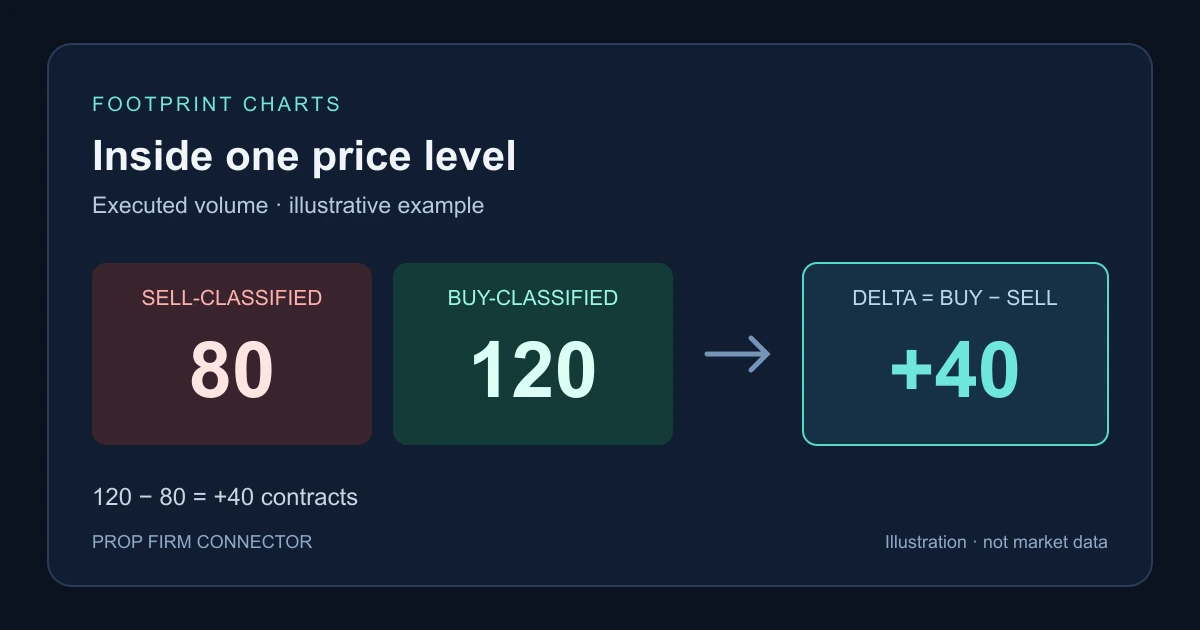
For an illustrative price level with 120 buy-classified contracts and 80 sell-classified contracts, delta is 120 − 80 = +40. These are made-up counts. Positive delta describes that volume difference; it does not establish where price goes next. NinjaTrader’s explanation of footprint volume and delta
Check the Rithmic history behind the chart
Historical BidAsk classification needs the appropriate historical bid/ask tick data. NinjaTrader lists Rithmic as providing historical ticks and bid/ask-stamped ticks, while noting that provider limitations apply and availability can change. That table does not guarantee coverage for every contract or date you request. Data by Provider
| Symptom | Check first |
|---|---|
| Volumetric is unavailable | Confirm Order Flow+ access on your NinjaTrader account. |
| Recent activity appears but older bars are missing | Check historical tick coverage for the exact contract and dates. |
| Cells show zero or omit numbers | Inspect Size filter, Size display filter and Hide text. |
| Two charts disagree | Compare the contract, period, session, loaded range and delta method. |
Size filter changes which trades enter the calculation; Size display filter only hides small displayed values. The main Volumetric bars use a one-tick series regardless of the Tick Replay checkbox, which serves indicators and strategies. Filter and Tick Replay settings
For missing dates, follow the historical-data inspection guide before reloading records.
PropFirmConnector connects any Rithmic account to NinjaTrader 8. Use the connection guides to establish that connection. NinjaTrader’s chart-feature access and the feed’s data coverage remain separate; PropFirmConnector supplies connections, not a trade copier.
Documentation reviewed November 5, 2026. The cover illustrates one volume calculation and is not a NinjaTrader screenshot or account-test result.
PropFirmConnector publishes this article and sells the Rithmic connection add-on described on this site.